Thursday, July 12, 2012

Project: NiteLite (step 1)

So, finally something about this project!

The idea has been slightly changed since I installed a LED tape on my kitchen counter, but there are other places in the house where to use this project.

In order to start slow and getting things done, I decided to build an Arduino prototype first. Then I'll try bit by bit to alter the configuration to avoid using an IC (if possible).

This project is the use of a motion sensor and an LDR to light up some LEDs when I pass by the sensors at night.

I already wrote about the PIR Motion Sensor and the LDR on previous posts.
Now it's time to use them together.

The PIR Motion Sensor needs 6 to 12V to work correctly because it has an in-built 5V regulator. As I intend to use it with an Arduino or with an external regulator for the whole circuit, I decided to bypass that internal regulator.
I read on Sparkfun's forums that some people had no problems from doing that simple bypass, and it looks safe enough, so I managed to it with some clumsy soldering:


I connected the sensors like on the previous posts and added a couple of pots to control LDR sensitivity and on time for the LED. Looks a mess, but it's quite simple.


Here are the schematics for a better understanding:


And of course, all this needs some Arduino code:

void setup() {
  pinMode(2, INPUT);
  pinMode(5, OUTPUT);
  
  Serial.begin(9600);
}

//int sample = 0;

void loop() {
  // LDR value: the bigger the value, the darker the room
  // mapping the LDR input to correspond to a valid PWM value
  int m = map(analogRead(A1), 0, 1023, 0, 255);

  // PIR value: when motion is detected turns LOW, else HIGH
  int v = digitalRead(2);
  
  // Sensitivity pot
  int p = map(analogRead(A0), 0, 1023, 0, 255);
  
  // Time pot
  int t = map(analogRead(A2), 0, 1023, 1000, 10000);
  
  if( m > p && v == LOW )
  {
    digitalWrite(5, HIGH);
    delay(t);
  }
  else
    digitalWrite(5, LOW);

  // Writes to serial only 1 in 5 turns
  /*if(sample % 5 == 0)
  {  
    Serial.print("LDR: ");
    Serial.print(m);
    Serial.print(" Sense: ");
    Serial.print(p);
    Serial.print(" PIR: ");
    Serial.print(v);
    Serial.print(" Time: ");
    Serial.println(t);
  }*/
  
  delay(50);
  
  // Avoid overflow
  /*if(sample == 10000)
    sample = 0;
    
  sample++;*/
}

Monday, July 9, 2012

LDR - Light sensor

For a coming project I'll need to know if a room has the lights on or off.
That's when a Light Dependent Resistor (LDR), or photocell comes in handy.

As usual, Ladyada provides an excellent tutorial on understanding and using electronics: Ladyada's 101 on LDR

I also found useful info here.

For the LDR that I have, I'm using this Datasheet. I'm not sure if this is the correct datasheet, but for this component I think it should be close enough.

The quantity of light can be measured in Lux, Lumen or Candela depending on several factors.
Here's some more info.

In this case, here's a table of some real world approximate Lux values, in order to understand the values we need to read:

Light source LUX
---------------------------
Moonlight 0.1
60W Bulb at 1m 50
1W Bulb at 0.1m 100
Fluorescent Lighting 500
Bright Sunlight 30,000

The resistance of a LDR can vary from +/-400 Ohm (for Bright Sunlight) to +/- 2 MOhm (in the Dark), depending also on the make of the component.

Here are some of the values I measured (from bright to dark):


Sunday, May 20, 2012

Bedflower

As I couldn't find a decent and cheap lamp to attach to my bed as a reading light, I decided to build one.

I saved some deodorant bottles as they have a nice shape and can be used in some projects.
I noticed that some light bulb screw bases I had fit perfectly in those bottles.


For the neck I used wire wrapped in a long screw for shape and strengthened it with more wire inside to have a flexible but strong neck.


As a base I chose make it out of wood so I tried to saw some squares that would connect with a 45º angle cut, but the nails I have are to big for that cut and the wood block chipped.


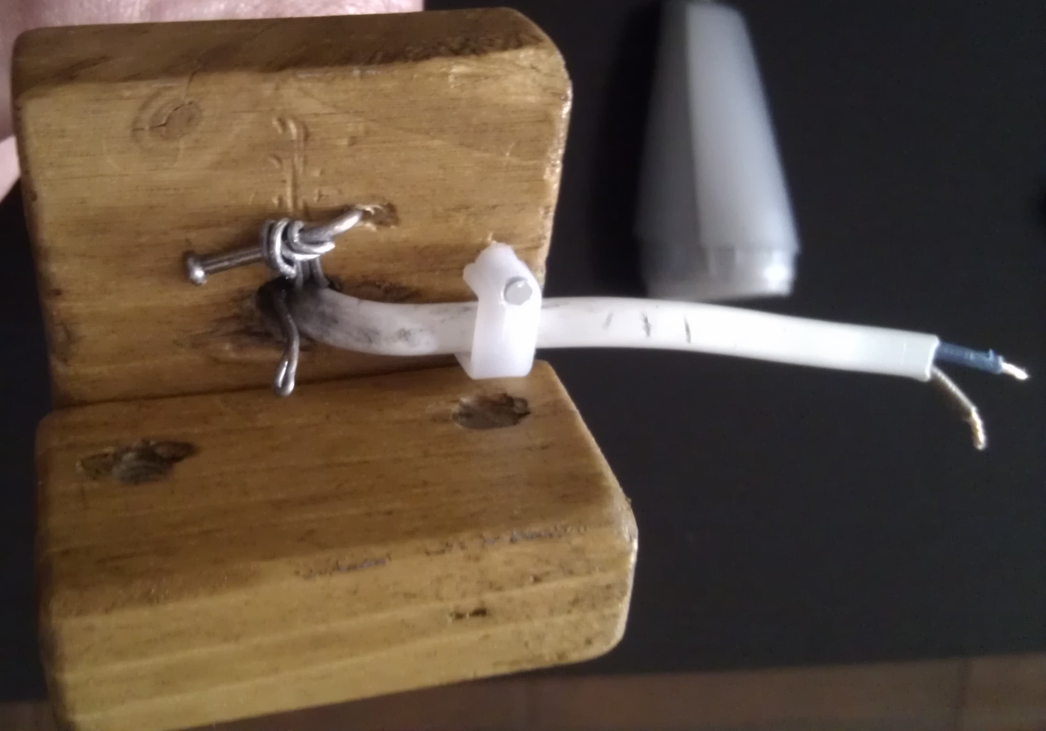
Then I drilled the blocks to pass the lamp's neck and some screws that will be used to secure the base to the bed.


After some polishing,


I nailed the pieces together and polished again:


These are the switches I applied to make the wires from the base to the wall wart:


Then I secured the neck to the base using the neck wire and a nail to fixate it, and secured the electrical wire as well.


I connected the switch so that it covers the holes where the screws go into, making it more aesthetic.


And here are the screws applied to the base.


So were almost there.


To make it more appealing I covered the neck of the lamp in a painters tape.
It looks kind of pretty in this photo, doesn't it? Sadly, that's the only case...


So here's the end result.


In the end, I don't think this is much appealing or practical as it is.
I made lots of mistakes on this that I was able to correct and others that I couldn't.

But the main idea is solid and when possible I will make a better version of this.
---------------------------------------------------------------------------------

Time to some improvements!

The wood panels were too small and would easily come out of the bed, so I switched to some bigger ones. But now they are too big to be plain.

I decided to try a little design:


With a X-Acto I cut on the wood some leaf design I found on Google and with my old soldering iron burned the wood to create the pattern you see above.

But I didn't feel it was enough. The upper part was still ugly.
So I tried another artistic approach:


I bought some disposable table spoons (used about 30 for testing and the final look) and glued them to a piece of toilet paper roll.


After two layers of glued spoons, I added other two layers of bent spoons and covered the hot glue at the base with some painters tape to hide the mess.


The final result is a beautiful (I think) flower:


What do you think?

Monday, January 23, 2012

Understanding Servo Motors

"Servo motors have three wires: power, ground, and signal. The power wire is typically red, and should be connected to the 5V pin on the Arduino board. The ground wire is typically black or brown and should be connected to a ground pin on the Arduino board. The signal pin is typically yellow, orange or white and should be connected to a digital pin on the Arduino board. Note servos draw considerable power, so if you need to drive more than one or two, you'll probably need to power them from a separate supply (i.e. not the +5V pin on your Arduino). Be sure to connect the grounds of the Arduino and external power supply together."

I bought my Servo motors from InMotion who imported them from SparkFun.

It's easy to control a Servo with Arduino using the libraries distributed with the Arduino IDE, but with only three wires, how is that controlled?

A servo motor expects a PWM signal with a very specific period and duty time.
Usually a 20ms period and a 1ms to 2ms as duty time.

On a regular servo the minimal duty cycle means a 0º position, the maximum corresponds to 180º and half way equals 90º.
On a full rotation servo, each period to motor rotates acording to the duty cycle.
Under 1,5ms rotates counter-clockwise and above 1,5ms rotates clockwise.

Controlling a servo from Arduino:

To test the theoretical knowledge I tried to run this simple sketch:

void setup() {
  // put your setup code here, to run once:
  pinMode(9, OUTPUT);
}

void loop() {
  // put your main code here, to run repeatedly: 
  digitalWrite(9, HIGH);
  delay(2);
  digitalWrite(9, LOW);
  delay(18);
}

Worked fine!


But for the best control, why not use a tested and proven library?

So I used Arduino's IDE Sweep example that rotates the Servo from side to side (0 to 180 degrees and back) using a class designed for that purpose.
The Sweep example seems simple and self-explanatory for me to give more detail about it.

In my full rotation servo I noticed that it rotated more going counter-clockwise than when moving clockwise.

I don't know why does it happen...

Thursday, January 19, 2012

Nokia 5110 LCD

I bought a SparkFun Nokia 5110 LCD through InMotion. Both sites have the datasheet and example documentation for how to use it.
Adafruit also sells this and documents its use with another excellent Ladyada tutorial.

Here it is with connectors already soldered:


The soldering is pretty bad. Maybe I should buy a new tip for my soldering iron...

This screen supports direct connection to an Arduino (5V), but in doing so we push it to the datasheet defined limits, so to it is best to reduce all signals to a confortable 3.3V.

My Arduino Duomilanove only outputs 5V signals, so in order to translate those signals to 3.3V, the simplest way is to use a Voltage Divider.
I used this site to calculate the best resistor values to use for this case (10kOhm and ~5kOhm).
Adafruit offers a free level shifter with the LCD that can be used as a more efficient Voltage Divider.

Also to light up the 4 leds used as backlight I used a 22Ohm resistor, so that I could connect to a 5V signal on the Arduino in order to control them with PWM.


And here it is using the Arduino example code 2:

Wednesday, January 18, 2012

Electronics Stores

Here are my favorite electronics stores:

Portuguese:

Aquario (Porto) - Nice collection of generic electric components, ICs and tools, but not for hobbyist electronics, like sensors, motors or other robotics components;

InMotion (On-line) - Nice catalog with products from SparkFun and Pololu, etc. Usually they offer the shipping costs at Christmas. It is possible to order SparkFun items by mail that aren't on their catalog.

PTRobotics (On-line) - Like InMotion, they have a very good catalog of products.

Found a link on a forum with their own list: LusoRobotica

Worldwide:

Sparkfun (US) - Best generic store, but the shipping costs can be very high for a direct order. The most common items can be found in distributors around the world.

Adafruit (US) - Main competitor for SparkFun. Can't tell wich is best.

Pololu (US) - Best store for motors and related products, shipping costs have the same problem as SparkFun;

eBay stores (mostly China) - Sometimes we can find great deals with free shipping from high trust rated sellers.

Friday, January 13, 2012

Electronics Components

Here I'll be updating some links about electronics components, as a wiki with the best information I can find.

- Zener Diodes